Merlin help
Customer guide
Request parts, track every request and approve quotes in one place. This guide follows one request from start to payment.
First time signing in? Start with the sign-in help.
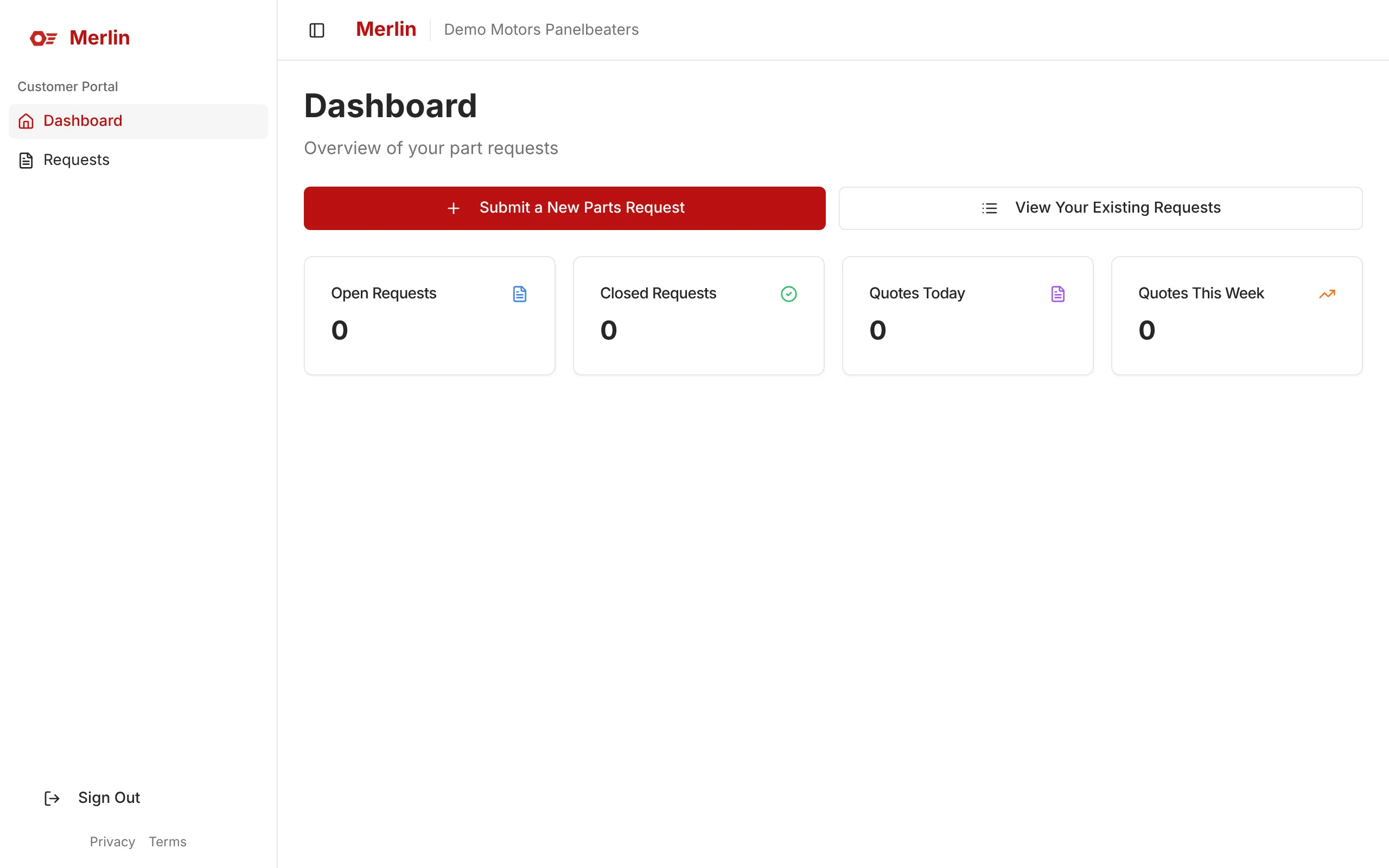
Step 1: This is your dashboard. Click Submit a New Parts Request to start.
 Open full size (opens in a new tab)
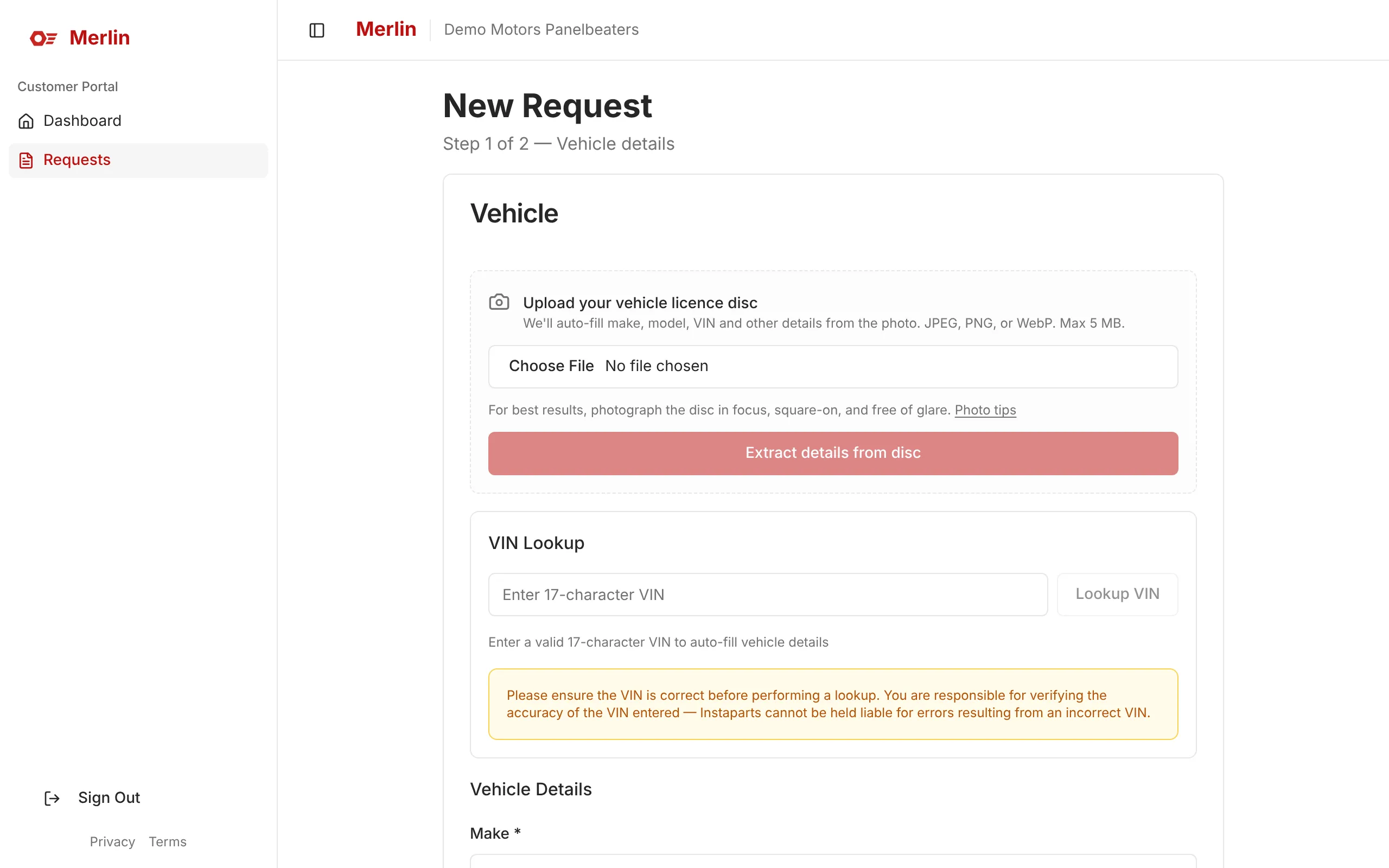
Step 2: Upload a photo of the licence disc to fill in the vehicle automatically, or enter the VIN.
 Open full size (opens in a new tab)
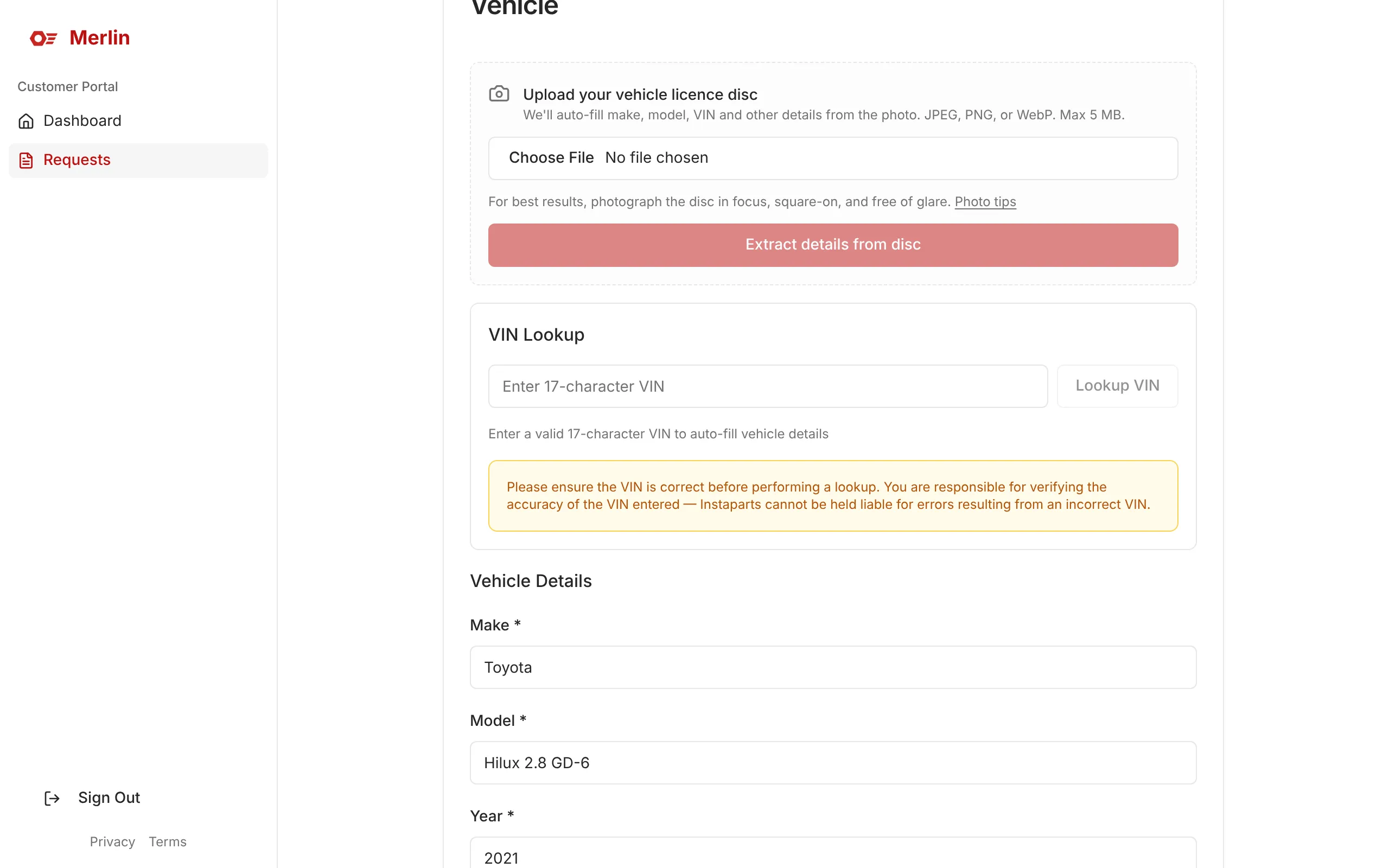
Step 3: Check or fill in the make, model and year, then click Next.
 Open full size (opens in a new tab)
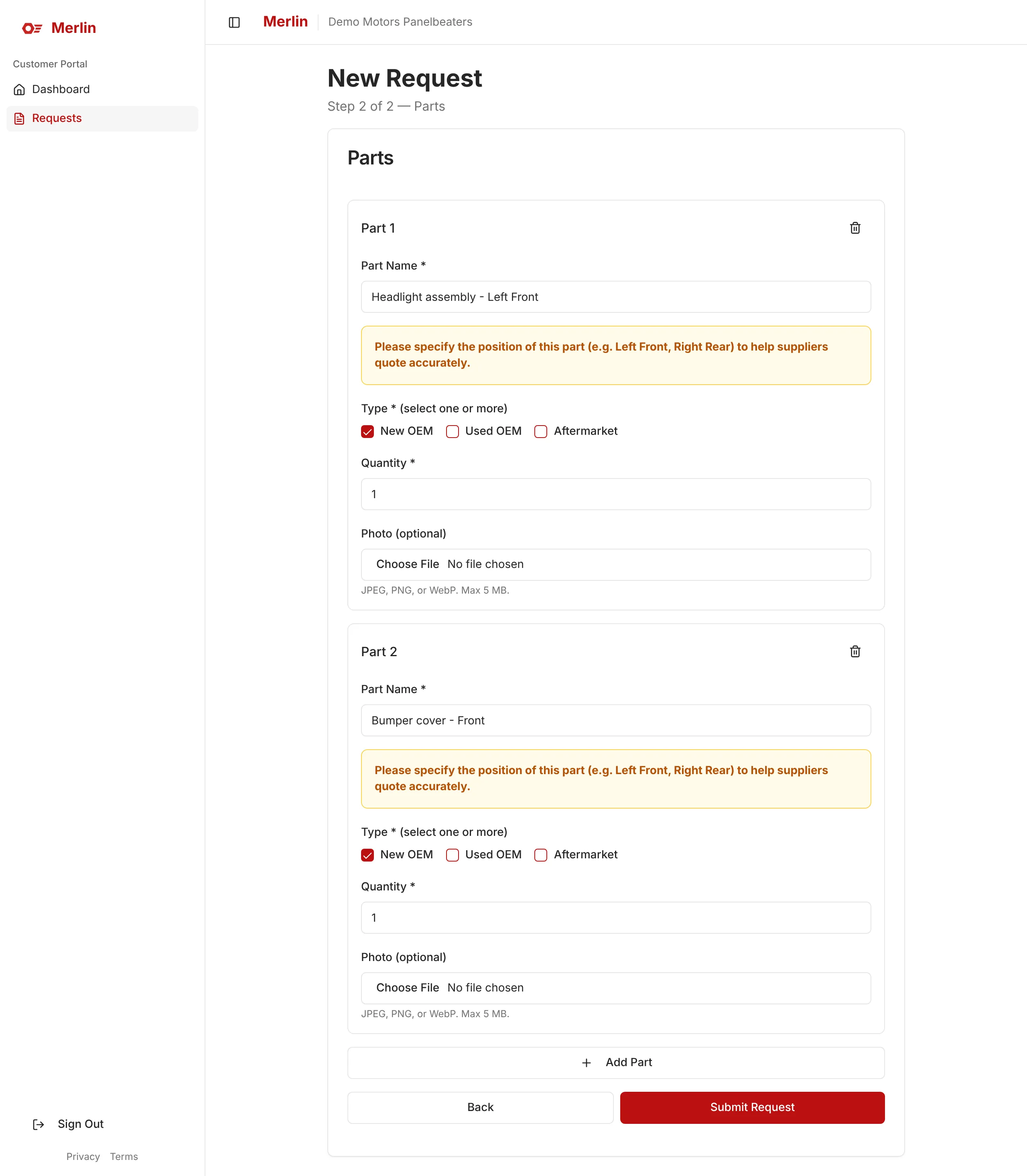
Step 4: Add each part with its position (for example Left Front), choose the part type and click Submit Request. The yellow reminder always shows for position-specific parts.
 Open full size (opens in a new tab)
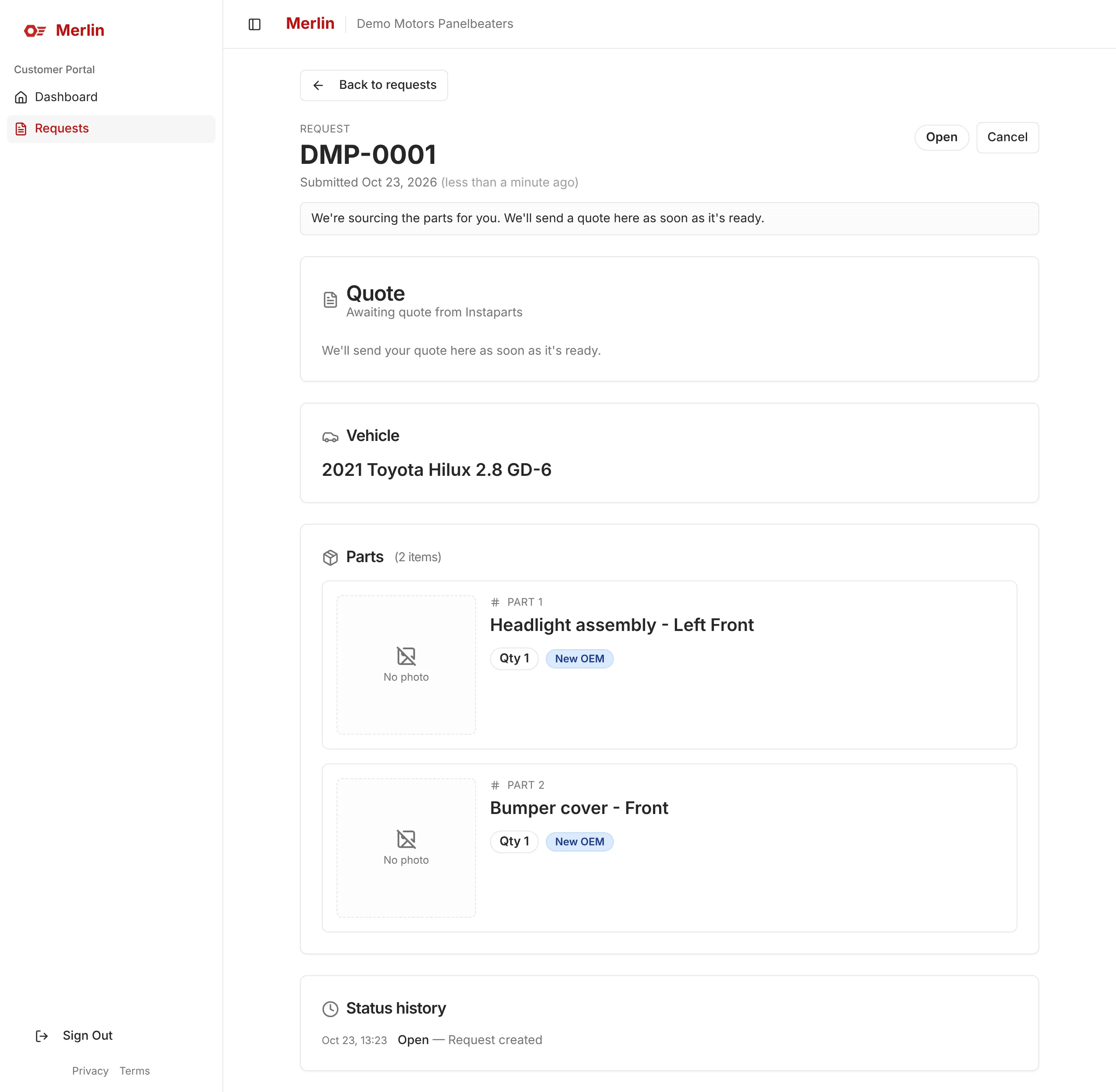
Step 5: Done. Your request gets a reference number (here DMP-0001), and the quote will appear on this page.
 Open full size (opens in a new tab)
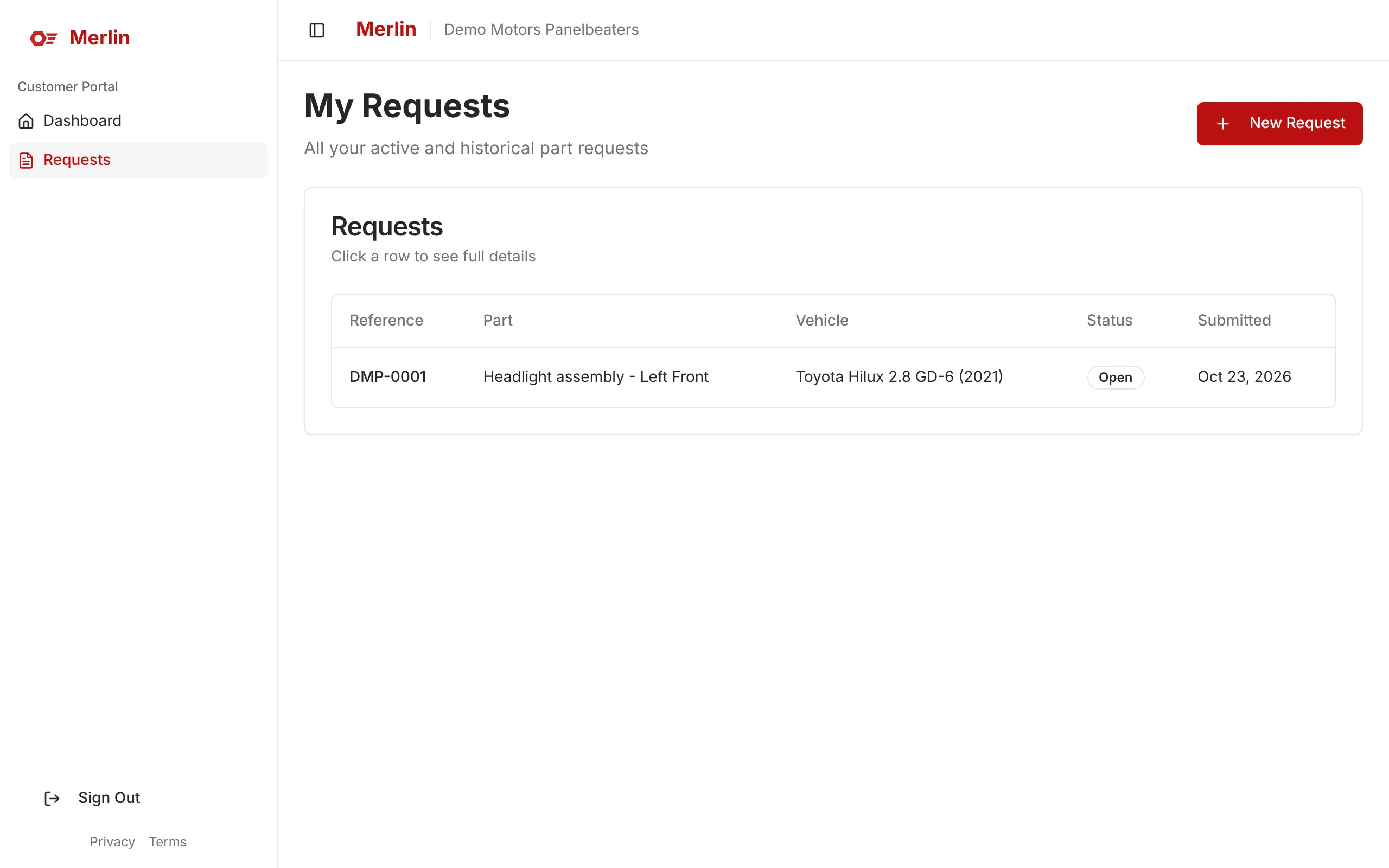
Step 6: Track all your requests under Requests.
 Open full size (opens in a new tab)
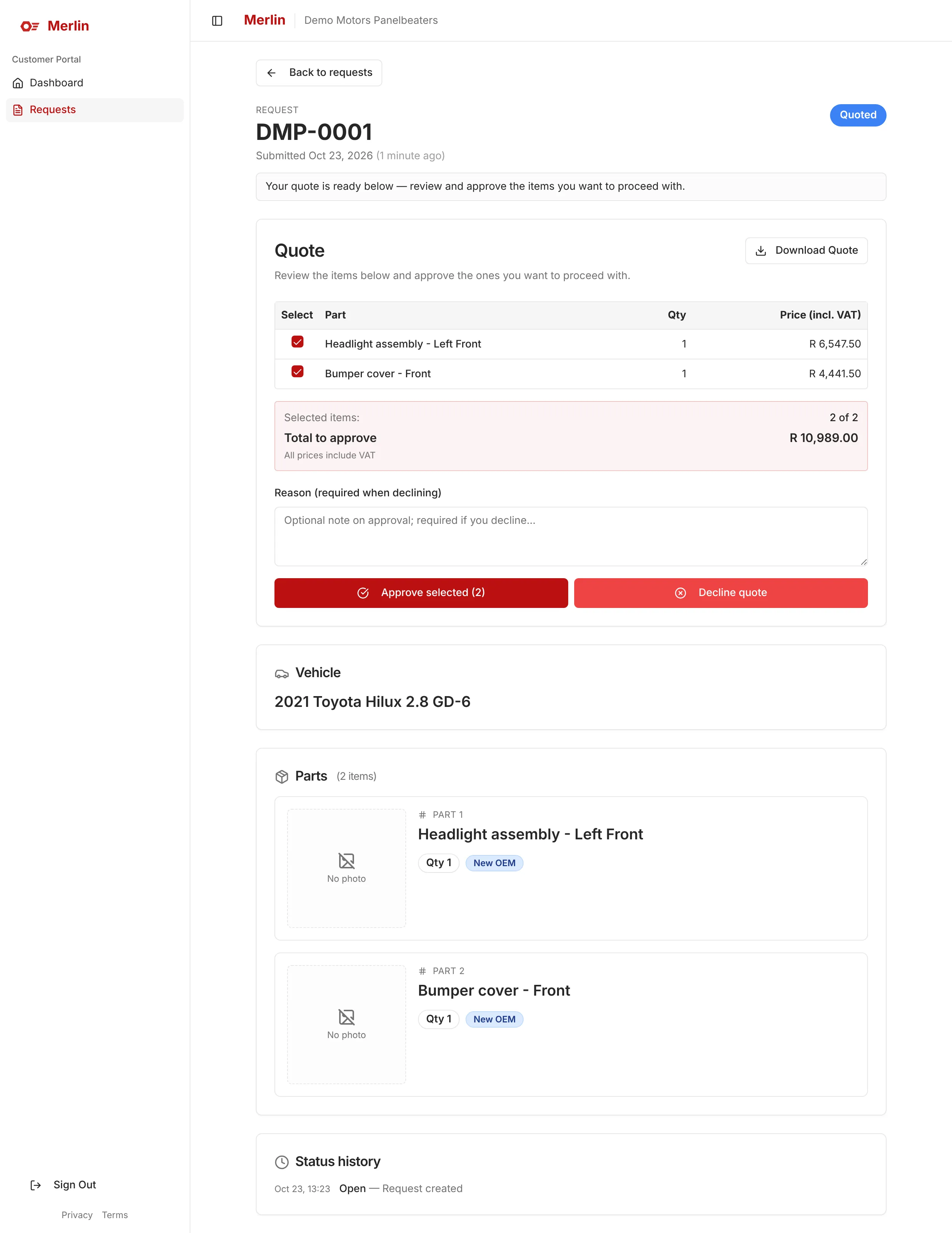
Step 7: When the quote is ready, tick the items you want and click Approve selected.
 Open full size (opens in a new tab)
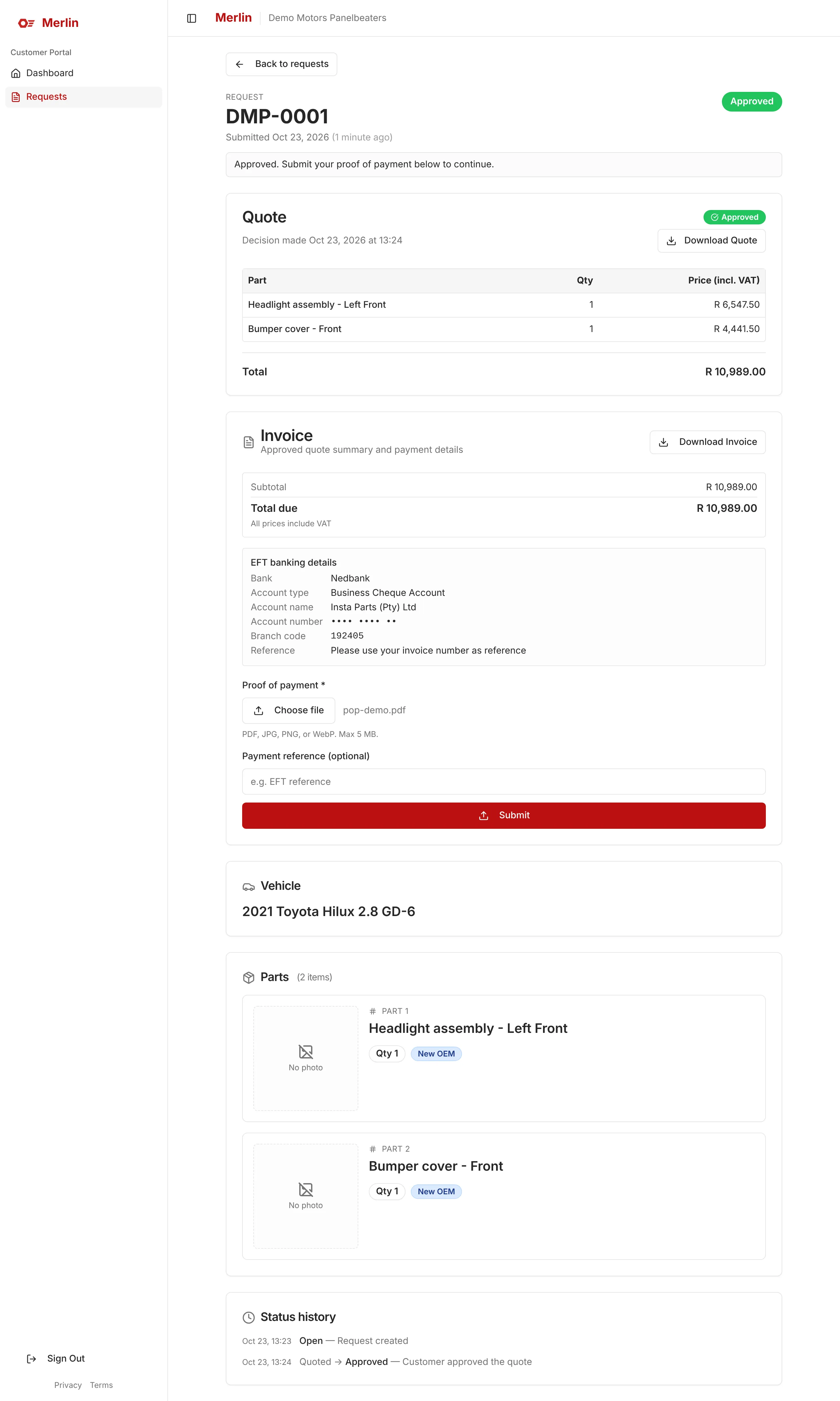
Step 8: Pay by EFT using the banking details shown, then upload your proof of payment and click Submit.
 Open full size (opens in a new tab)
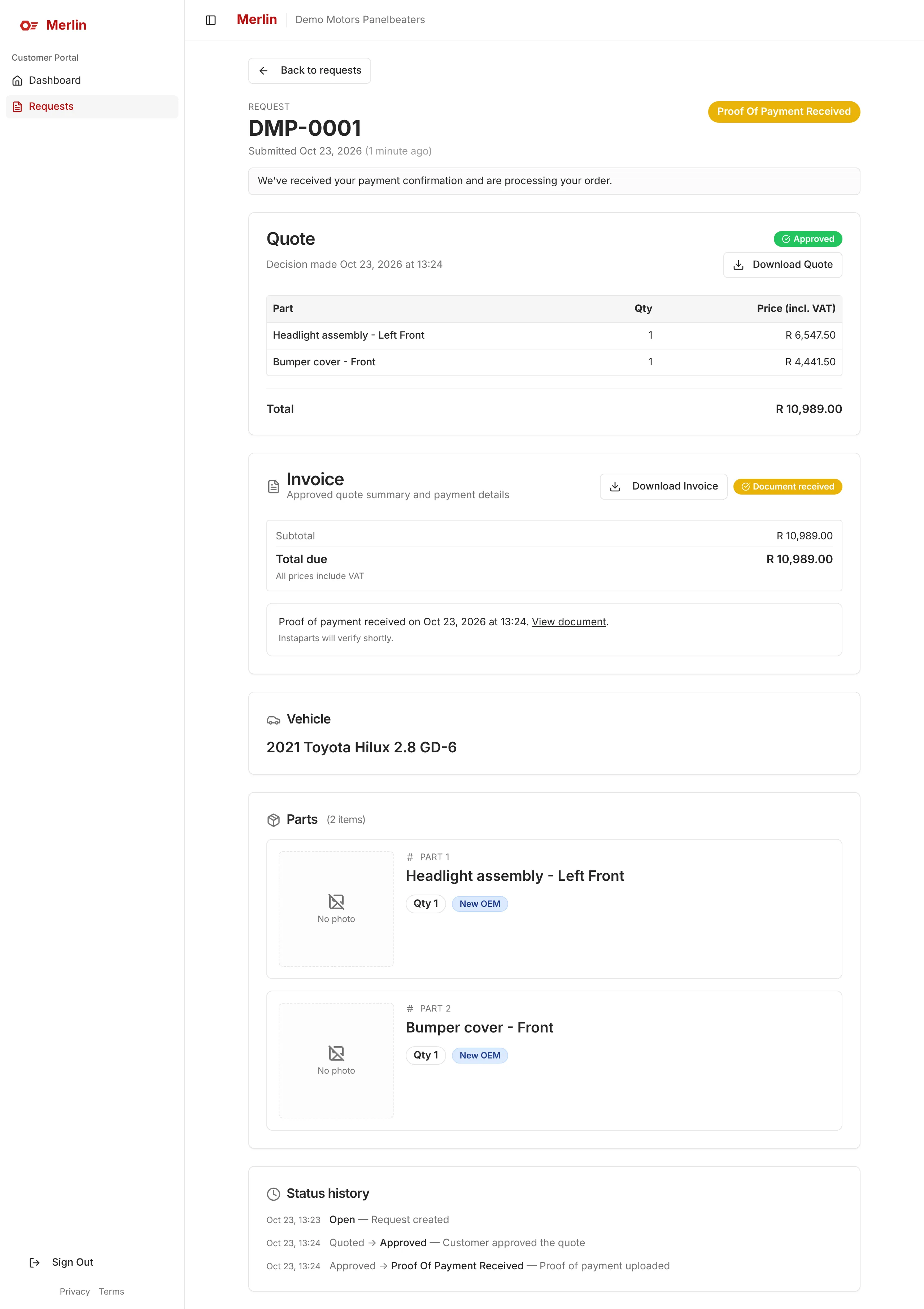
Step 9: Your proof of payment is received. InstaParts will verify it and process your order.
 Open full size (opens in a new tab)
Stuck?
I can't find my invite email
Check your junk or spam folder first. If it isn’t there, ask your administrator to resend the invite. There is no public sign-up, so you need an invite to get in.
I forgot my password
Click Forgot your password? on the sign-in page, enter your email and click Send Reset Link, then follow the link in the email.
You will always see “If an account exists with this email, a reset link has been sent”. That is by design, so the message doesn’t reveal which emails have accounts.
It says my account is locked
Five failed sign-in attempts within 20 minutes lock sign-in for 20 minutes. Wait it out, or reset your password: a reset also clears the lock.
I was signed out unexpectedly
The portals sign you out after 60 minutes of inactivity. Just sign in again.
It says "Your account doesn't have portal access yet"
Your account isn’t linked to a customer or supplier yet. Ask your administrator to link it. It is a one-time fix.
A yellow "Please specify the position of this part" message appears
It always shows for parts like headlights, doors, mirrors and bumpers. It isn’t an error: just make sure the position (for example Left Front) is in the part name.
My licence disc photo couldn't be read
Enter the vehicle details manually. The photo is still attached to the request for InstaParts to review.
My photo upload failed
Open the request and attach the photo again, or contact InstaParts.
A request status looks wrong
Contact InstaParts. They can correct it.
I need to change a closed request
Submit a new request. Closed requests can’t be reopened.
I can't choose aftermarket parts
Aftermarket parts aren’t allowed for vehicles under 2 years old.
Still stuck? Contact your InstaParts administrator.