Merlin help
Supplier guide
InstaParts sends you requests for quotation (RFQs) in Merlin. Respond with your options and prices, or decline if you can't supply.
First time signing in? Start with the sign-in help.
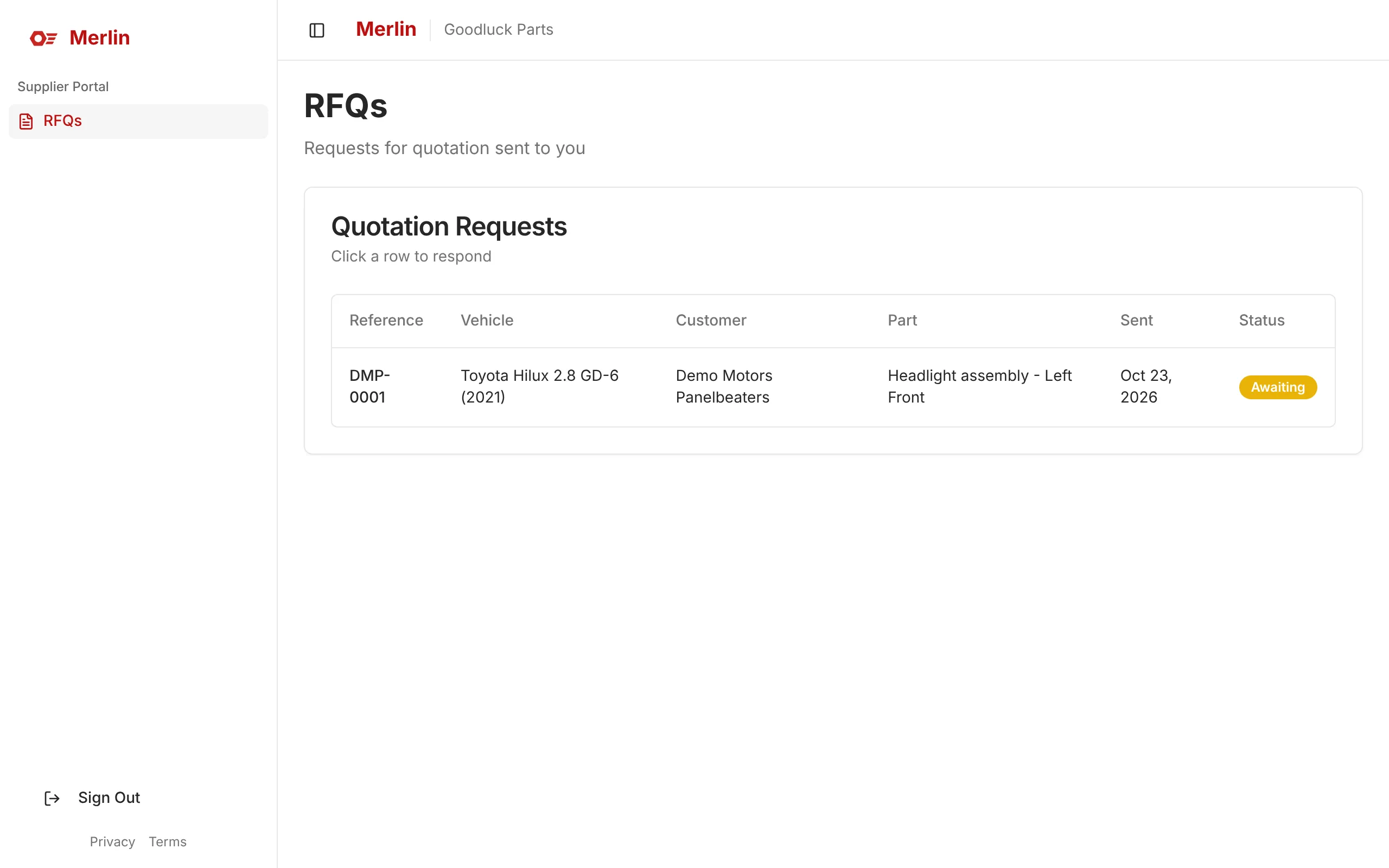
Step 1: These are the requests for quotation sent to you. Click a row to respond.
 Open full size (opens in a new tab)
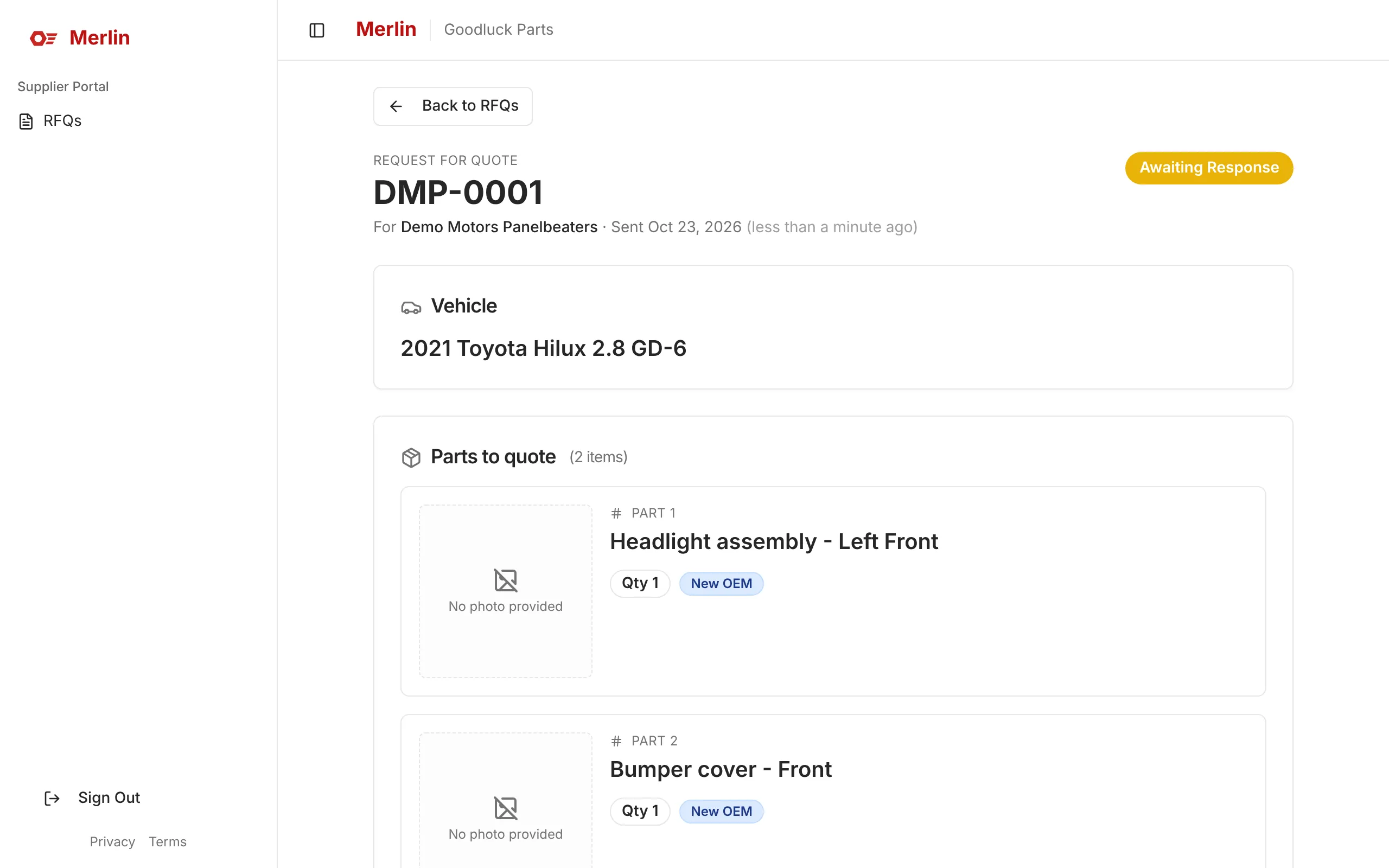
Step 2: See the vehicle and the parts needed.
 Open full size (opens in a new tab)
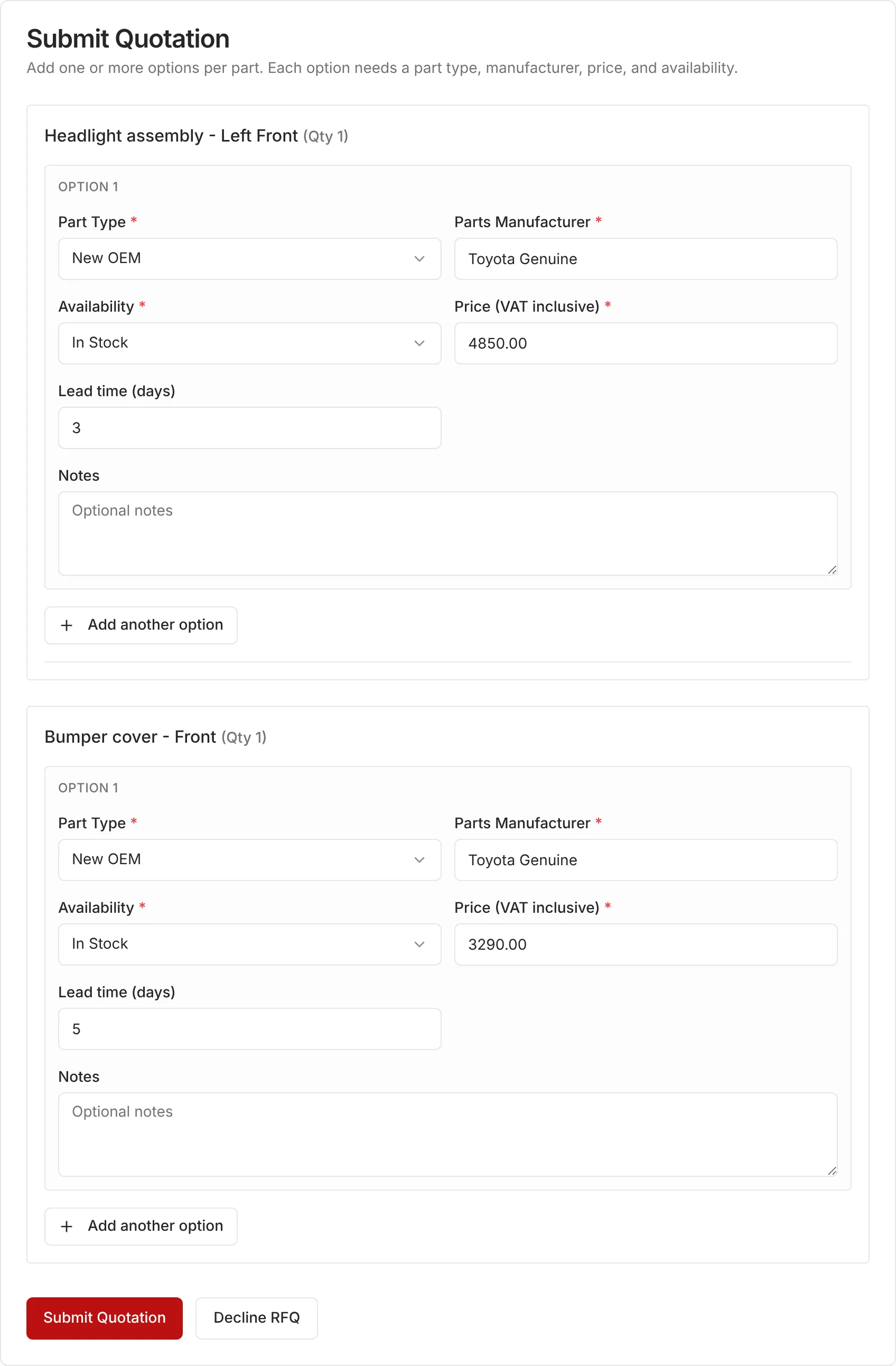
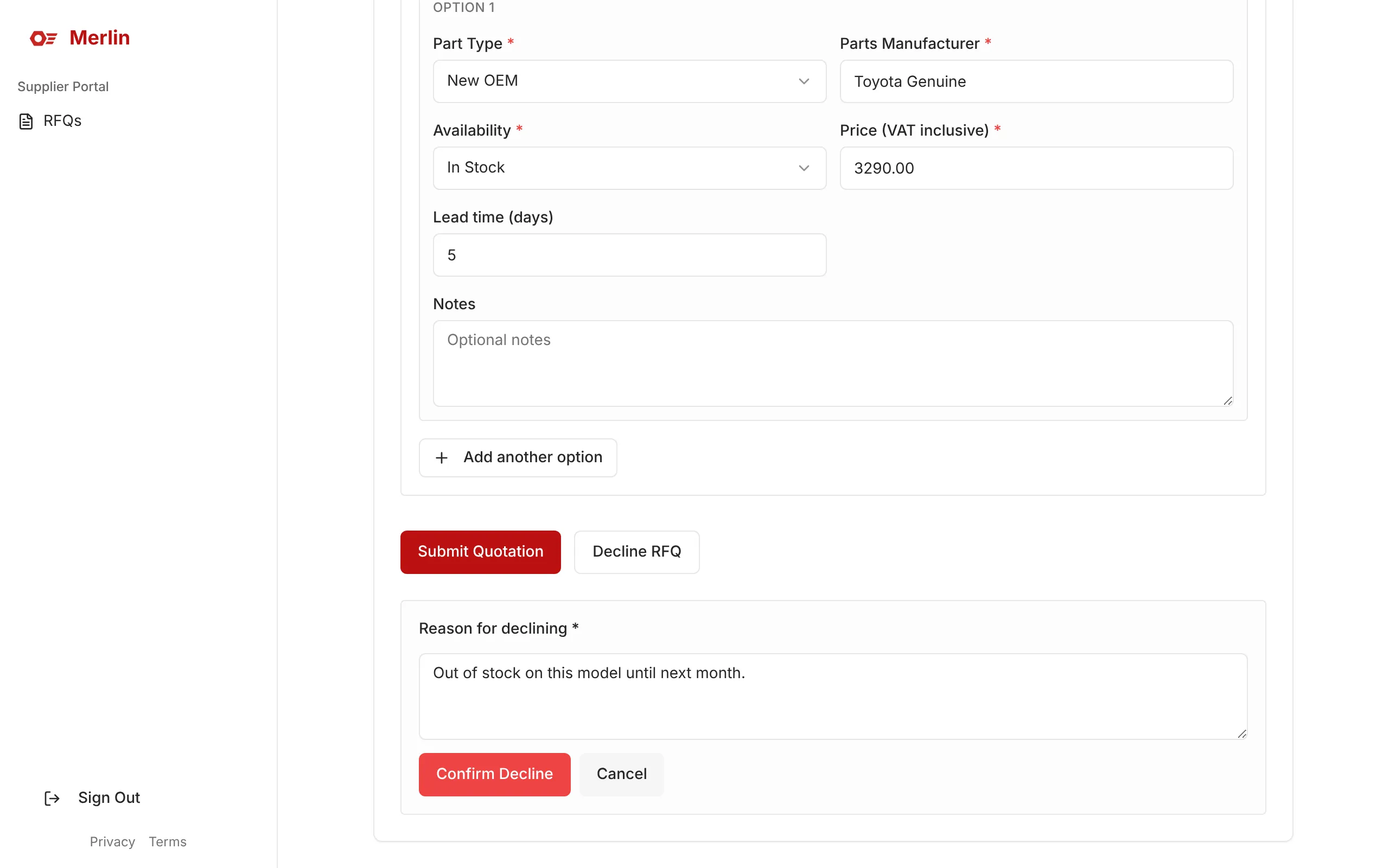
Step 3: For each part, enter the type, manufacturer, availability, price (VAT incl.) and lead time, then click Submit Quotation. Use Add another option for alternatives.
 Open full size (opens in a new tab)
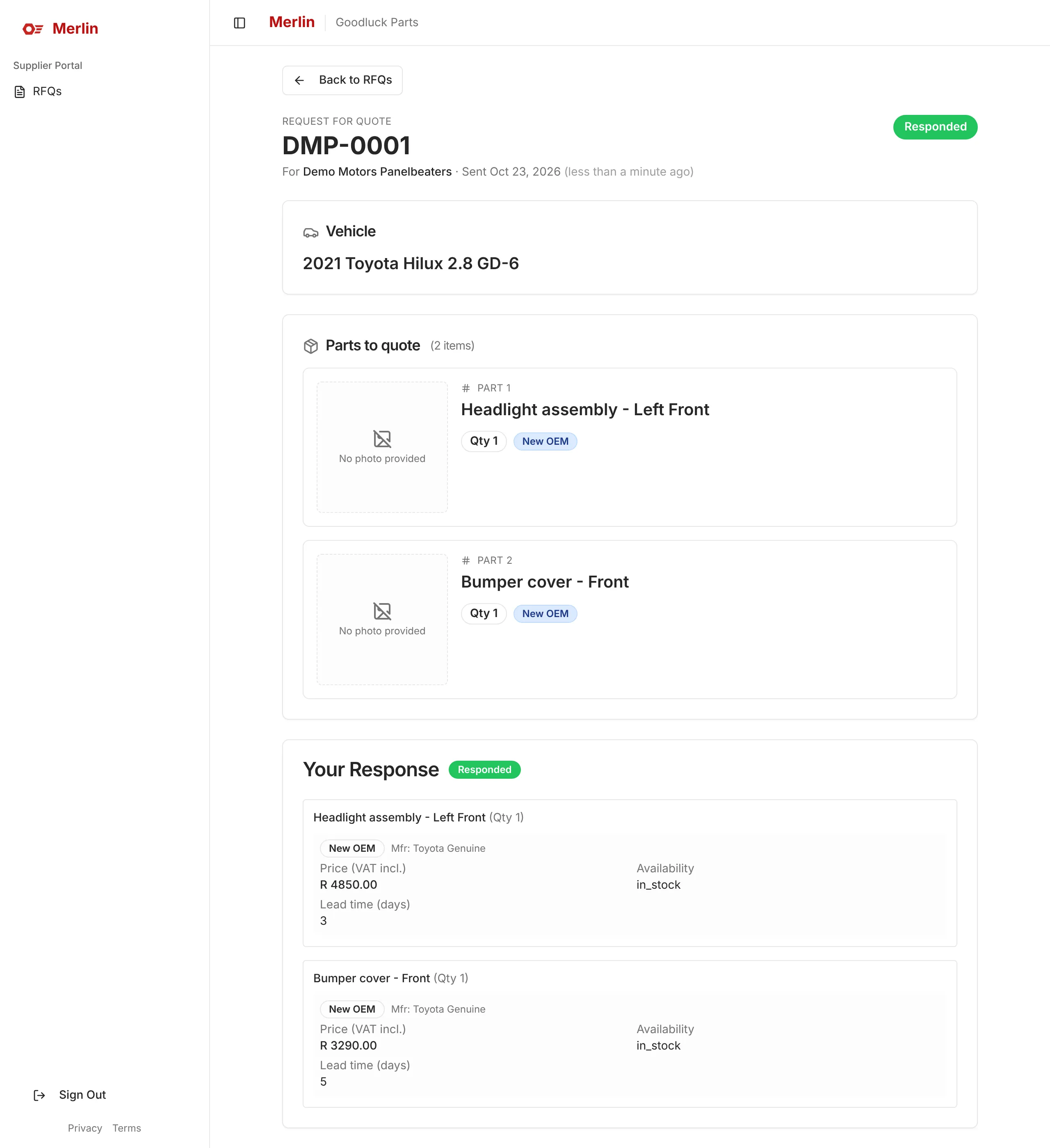
Step 4: Your response is saved and marked Responded.
 Open full size (opens in a new tab)
Step 5: Can't supply? Click Decline RFQ, give a reason and confirm.
 Open full size (opens in a new tab)
Stuck?
I can't find my invite email
Check your junk or spam folder first. If it isn’t there, ask your administrator to resend the invite. There is no public sign-up, so you need an invite to get in.
I forgot my password
Click Forgot your password? on the sign-in page, enter your email and click Send Reset Link, then follow the link in the email.
You will always see “If an account exists with this email, a reset link has been sent”. That is by design, so the message doesn’t reveal which emails have accounts.
It says my account is locked
Five failed sign-in attempts within 20 minutes lock sign-in for 20 minutes. Wait it out, or reset your password: a reset also clears the lock.
I was signed out unexpectedly
The portals sign you out after 60 minutes of inactivity. Just sign in again.
It says "Your account doesn't have portal access yet"
Your account isn’t linked to a customer or supplier yet. Ask your administrator to link it. It is a one-time fix.
I can't supply a part
Click Decline RFQ and give a reason, or set Availability to out of stock on that option.
Still stuck? Contact your InstaParts administrator.